In a previous article, I claimed that there were no good alternatives to the RP2350-USB-A board.
To accept a USB keyboard or other device, a USB board has to present itself as a USB host. It does this by pulling down the two USB data pins. The USB device then signals itself by having a data pin pulled up.

The RP2350-USB-A has a pull-up resistor on a data line, forcing it to act as a USB device. This means it is not possible to use that board as a keyboard pass-through, for instance. Unless you modify it.
I looked at similar RP boards with two USB connectors. The RP2040-PiZero has pull-up resistors on both data lines, which is just plain wrong. The Feather RP2040 with USB Type A Host has no physical resistors on the data lines; you might be able to make do with the microcontroller’s internal resistors, but this is not ideal.
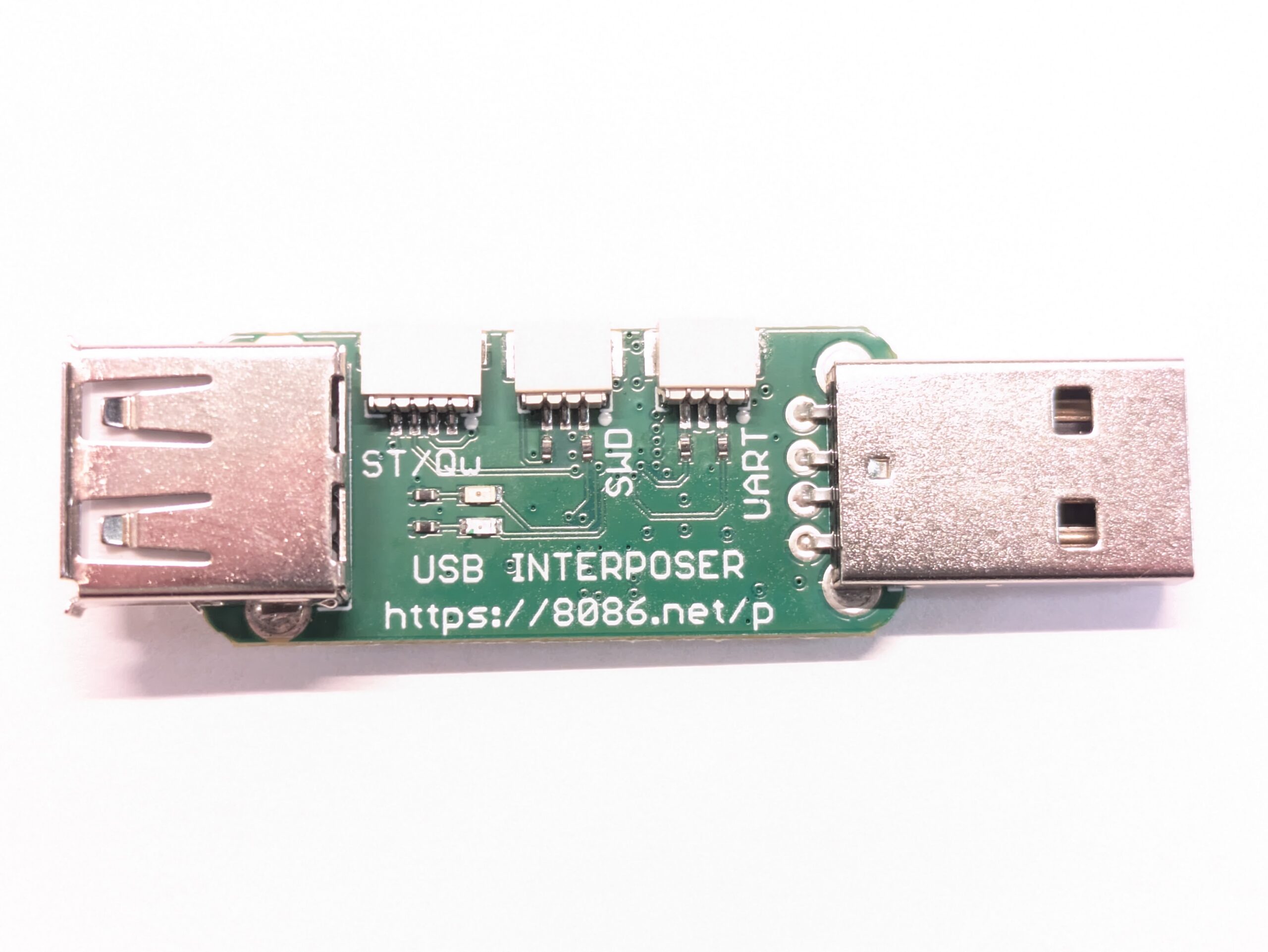
The last contender is the USB interposer. Unfortunately, there is very little information about it, so the only way to know if it works is to get one, which I did.

The male USB-A connector on the right is driven natively by the RP2040. The female USB-A connector on the left is driven by PIO. This side does not have much on it, besides the two LEDs and connectors. The interesting stuff happens on the back:

The biggest black square is the RP2040 chip (labelled “RP2-B2”). The other large chip is labelled “25Q128JVSQ”, which is the flash module. Next is the boot selection button to the left. Finally, two more LEDs in the bottom right.
What we are interested in, the female USB-A connector, is still on the left, with its four pins vertically soldered to the right of the big capacitor. The middle two are the data pins, which we see routed as a differential pair to the RP2040’s GPIO16 & GPIO17 pins through two resistors.
Importantly, there do not seem to be any pull-down resistors (nor any pull-up resistors for that matter). In other words, this is the same design trade-off as the Feather RP2040 with USB Type A Host: you control host or device behavior using the RP2040’s internal pull-up & pull-down resistors. These cannot match the USB spec, so the USB interposer might not be compatible with all USB devices.
In any case, from my small experiments, this seems to work in practice. The PIO USB driver successfully detects and enumerates a device connected on that female USB-A connector, and also detects when it disconnects.

This means the Adafruit Feather RP2040 with USB Type A Host probably works just as well. The Adafruit board is available on DigiKey and much better documented. It has pin headers, a USB-C connector for the device side and a reset button. So, unless you really want a USB-A male connector on the device side, I think this is the better option.

Leave a Reply